Wi-Fi vs. Bluetooth Low Energy for Battery-Powered IoT Sensors
A temperature node built around an ESP32 and one built around an nRF52 can report identical numbers. The radio choice is what decides whether that node runs for three months or three years, whether it survives two concrete floors, and how much work an installer has to do on site. Wi-Fi and Bluetooth Low Energy are both 2.4 GHz technologies sitting on the same PCB, and they are not interchangeable. What follows is the practical comparison, using the numbers you actually measure with a power profiler rather than the ones on the marketing table.
Two Radios With Different Design Centres
Wi-Fi was built to move bulk data between a station and an infrastructure network. Every device expects to associate with an access point, get an IP address, and stay reachable. Bluetooth Low Energy was built around short, infrequent packets and an extremely low duty cycle, with no assumption that a network exists at all.
That single difference explains almost everything else. Wi-Fi wants a mains supply or a large battery and rewards you with direct IP connectivity, no hub, and real throughput. BLE accepts a coin cell and a gateway in exchange for tiny packets and long sleep windows. Neither is better. They optimise different costs.
Range: Measure Your Building, Not the Datasheet
BLE at 0 dBm covers tens of metres in open air, a couple of rooms through drywall, and often nothing through a reinforced concrete slab. Wi-Fi at 20 dBm reaches further in absolute terms, but the access point is rarely where your sensor is. You are comparing a node-to-router link against a node-to-gateway link, and the gateway is usually closer and cheaper to move.
The wall tax
Every wall, metal stud, water pipe or foil-backed insulation layer costs you link budget. Two walls between sensor and gateway is a normal installation. Four is a redesign. If you cannot place the gateway in the same room or the same corridor, budget for a repeater or a second gateway before you blame the protocol.
Antenna design beats protocol choice
A PCB meander antenna squeezed into a corner next to a ground plane cut-out will underperform a well-tuned chip antenna with a proper keep-out area, regardless of which stack you flash. Keep the antenna clear of the battery, the enclosure screws and any copper pour. A plastic enclosure is transparent to 2.4 GHz; a metal one is a shield.
Long range modes
BLE 5 adds coded PHY modes that trade data rate for link budget, extending useful range in the same conditions. The cost is throughput, which for a sensor sending 20 bytes every minute is irrelevant. Many modules also let you raise transmit power. Wi-Fi has no equivalent graceful trade; you either have a link or you do not.
Power Consumption: Average Current Is the Only Number That Matters
Wi-Fi transmit bursts pull hundreds of milliamps. BLE transmit bursts pull tens. That peak figure is what everyone quotes, and it is mostly misleading. What drains the battery is the average, and the average is a duty cycle calculation:
average current = sleep current + (active time × active current) ÷ reporting period
The pieces you need to account for:
- Sleep current. A well-configured BLE SoC can sit in the low hundreds of nanoamps to a few microamps. A Wi-Fi SoC in modem sleep typically idles in the tens to hundreds of microamps, and more if the connection is maintained.
- Wake-up overhead. Crystal start-up, sensor warm-up and firmware boot can dominate a short measurement. This is why a 40 ms wake is worse than a 4 ms one.
- Connection maintenance. A BLE peripheral wakes briefly at each connection interval, for example once per second. A Wi-Fi station must answer beacons and keep its association alive, and a TCP/TLS session to a cloud endpoint costs periodic keepalives.
- Reconnection cost. Association, DHCP, DNS and a TLS handshake are expensive. If your firmware reconnects on every sample, expect a fraction of the battery life you calculated.
Do the arithmetic honestly. A node averaging 50 µA draws roughly 1.2 mAh per day, so a 1000 mAh cell is good for well over a year in theory and considerably less in practice once self-discharge and temperature are factored in. A Wi-Fi node waking every minute to publish over TLS can easily average milliamps, which turns that same cell into a matter of weeks.
One hardware warning: coin cells have significant internal resistance and do not like current pulses. Datasheets for CR2032-class cells typically treat a few milliamps of continuous draw as the practical ceiling, so a Wi-Fi transmit burst can brown out the rail even with a bulk capacitor fitted. If your node needs Wi-Fi, use an AA-class cell, a lithium pack, or mains power.
Data Rate and Payload: Both Are Usually Overkill
A temperature and humidity reading is 8 bytes. A three-axis accelerometer frame is under 40 bytes. Neither radio is anywhere near its limit. BLE handles 20 bytes per notification by default and up to a few hundred with data length extension, which is plenty. Wi-Fi offers megabits, but that headline rate is not what your sensor uses: MQTT over TCP with TLS adds headers, round trips and radio-on time for every publish.
The picture flips when you need over-the-air firmware updates, waveform capture or a camera. Pushing a 1 MB image over BLE is a slow, painful exercise with a high chance of interruption. Over Wi-Fi it is routine.
Pairing and Provisioning Complexity
This is where projects actually fail, usually in the field rather than the lab.
- BLE pairing. There are no network credentials to store on the node. But the data has to reach something: a phone app for commissioning, or a gateway that forwards to your backend. Bonding adds its own edge cases, and some stacks rotate addresses for privacy, so do not build a whitelist around a MAC address that changes.
- Wi-Fi provisioning. The node must know the SSID and password before it can do anything. Common paths are a temporary soft access point with a configuration page, a serial or USB step during production, or commissioning over BLE that hands the credentials across. Enterprise networks, captive portals and band-steering routers that hide 2.4 GHz SSIDs are all common sources of support tickets.
- Upstream dependencies. A Wi-Fi node usually needs DHCP, DNS, NTP for timestamps and a valid TLS certificate. Every one of those is a failure mode. A BLE node needs its gateway to be in range.
A Short Decision Path
- If the node runs on a coin cell or a small lithium cell and reports a few dozen bytes a few times an hour, choose BLE.
- If the node has mains power or a large battery and needs firmware updates, image or waveform data, choose Wi-Fi.
- If the site has no usable Wi-Fi coverage but you can install one gateway per floor, BLE wins on installation effort.
- If you need direct IP reachability with no hub in the middle, Wi-Fi wins.
- If you need both, split them: BLE sensors and a mains-powered Wi-Fi gateway that bridges to your backend. That is a well-trodden architecture and cheaper than extending Wi-Fi everywhere.
Build the Ugly Version First
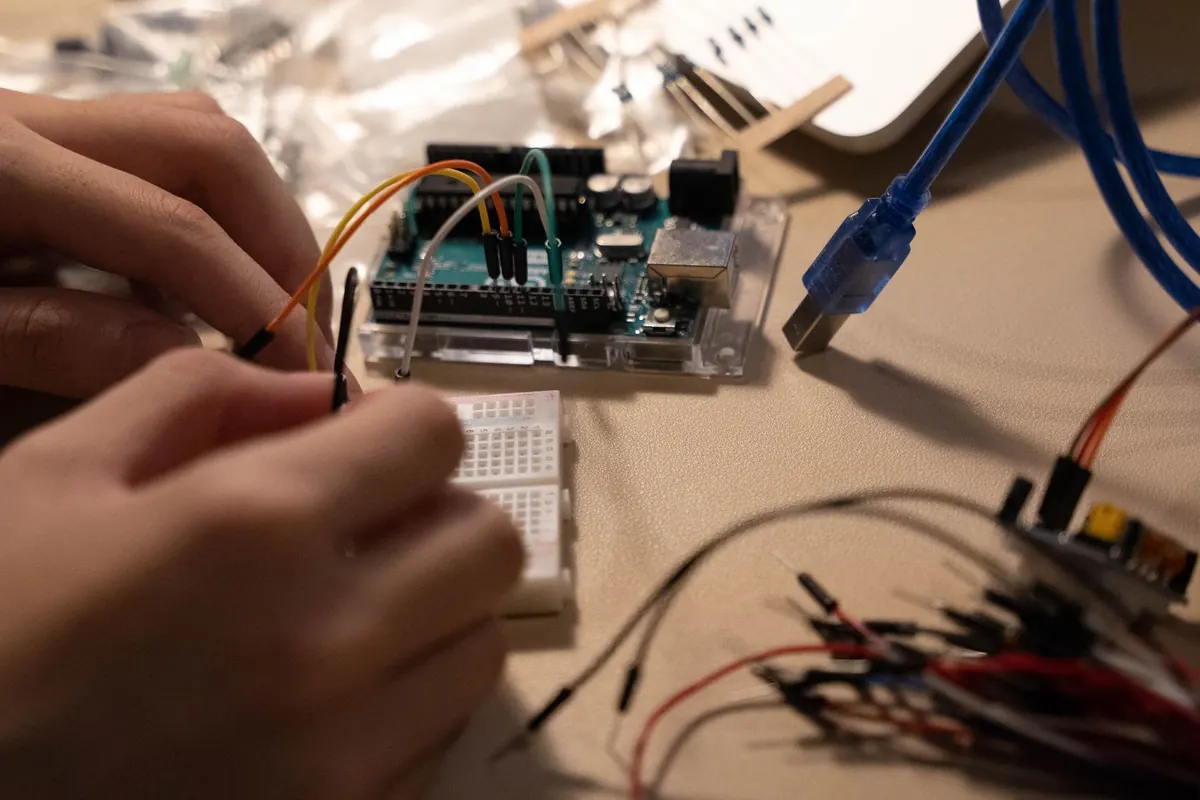
Before you commit, wire up one node of each type and measure. Put a power profiler or a shunt-and-ADC setup in series with the battery and log current over a full day of realistic reporting. Then walk the building with the node in your hand and watch the received signal strength as you move it to the worst mounting position you can imagine: inside a metal cabinet, behind a fridge, under a staircase.
Turn off status LEDs, disable unused peripherals, and check what the regulator's quiescent current costs you. Those three items routinely add more to the average than the radio does. Once you have real numbers from the real site, the decision usually makes itself.
Photo: NickyPe / Pixabay